
Compass display
A dedicated place in Bilal for Qibla direction guidance.
Loading Qibla...
Qibla Compass
Open the Qibla feature in Bilal and use its compass guidance to orient yourself toward the Kaaba.
Qibla compass Direction guidance Alignment
Inside the Bilal App
A closer look at where Bilal presents Qibla direction and alignment guidance.

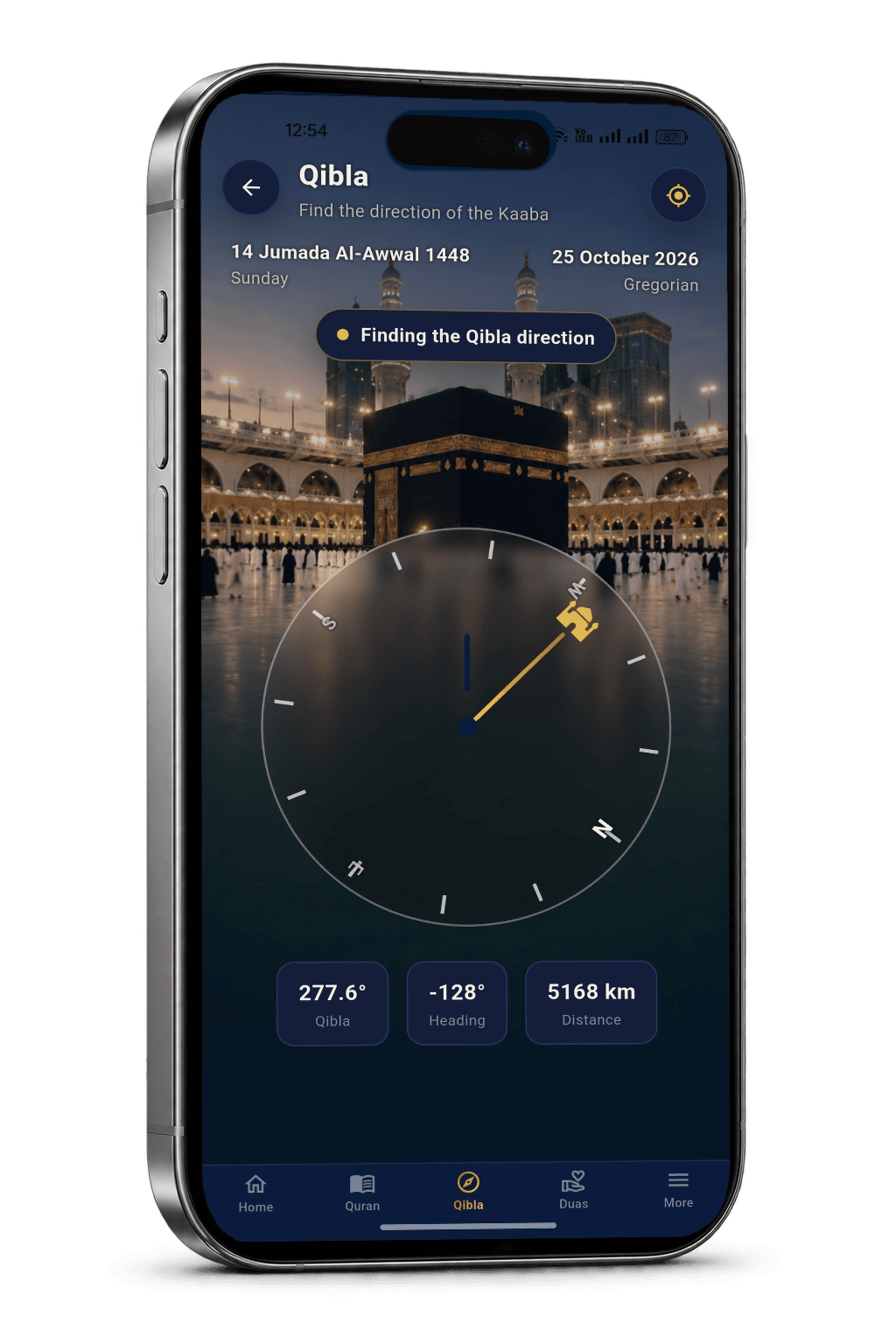
Qibla at a glance
A dedicated place in Bilal for Qibla direction guidance.
Follow the direction shown by the in-app compass.
Use the on-screen guidance to orient yourself.
How it works
Use Bilal’s in-app compass as a visual guide, then confirm that the displayed direction feels stable before relying on it.
Go to the Qibla feature in the Bilal App.
Look at the direction guidance displayed on the compass screen.
Orient yourself using the displayed indicator and recheck if the reading changes.
Alignment guidance
A few sensible compass habits can help you interpret Qibla direction guidance with more confidence.
These are general compass-use tips, not extra settings in the Bilal App.

Keep your phone away from magnets and large metal objects that may disturb compass readings.
Use the displayed Qibla guidance rather than guessing a bearing from a decorative illustration.
If the direction moves unexpectedly, check your surroundings and follow your device’s compass guidance.
Frequently asked questions
It provides an in-app compass experience with direction and alignment guidance for finding Qibla.
Open the Qibla feature, look at the displayed indicator and follow the compass guidance to orient yourself.
Phone compass readings can be affected by magnetic interference and device conditions. If the indicator changes unexpectedly, recheck your surroundings and device compass guidance.
No. The illustration on this marketing page is decorative and does not calculate Qibla. Use the actual feature in Bilal for in-app guidance.
No. The marketing page does not provide or certify a live bearing; readings from a phone compass depend on device and environmental conditions.